Structure Builder
Deprecated
Structure Builder is deprecated. Use the Shape Builder's Line shape (or Curve for curved runs) with a part template instead — it builds the same walls from Height & Width, plus point editing, spacing, extra corner types, and closable loops. Structure Builder keeps working for now, but new features land in the Shape Builder.
What it is ℹ️
Generate repeated or patterned structures like walls, fences, posts, or grids from simple inputs.
Problems it solves 🧩
- Spending too long laying out repeated parts one-by-one
- Inconsistent spacing and misaligned endpoints on corners
- Hand-building round or beveled corners for long runs
- Gaps at corners when elements meet at odd angles
- Rework from destructive edits when experimenting with layouts
When to use 🧭
- Laying out long runs of repeated parts (walls, fences, rails, curbs)
- Building paths/roads/sidewalks with smooth round/bevel/touch/fill corners
- Keeping exact spacing and clean endpoints without gaps or overlap
- Placing rows or grids of posts, lights, tiles, or floor panels
- Conforming placement to surfaces or offsetting above them
- Reusing a template part to copy materials and properties across the run
- Iterating quickly with non-destructive previews and undo/redo
- Optionally unioning on finish to reduce part count
Panels 🎛️
Corner Settings ➰
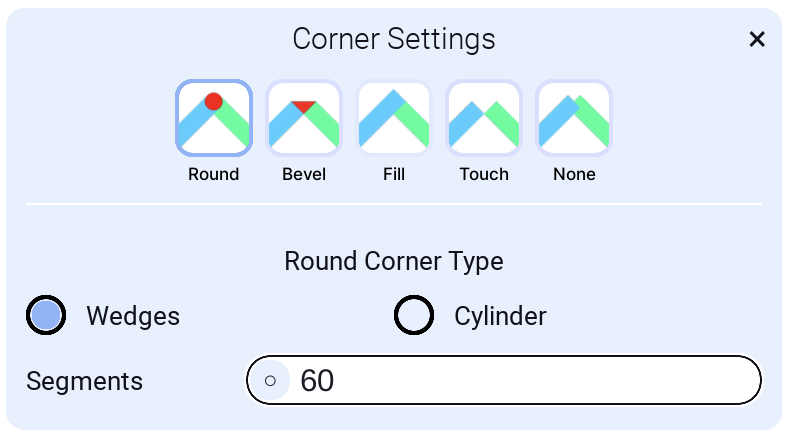
Note: Corner Mode is applied when adding a new part. No live preview.
Corner Mode Round
-
Wedges: Uses wedges when generating a round corner
-
- Segments: Number of segments to add. Default 60 for a full circle. For a 90° corner, it uses one quarter of that (15). Setting it to 1 behaves like Corner Mode Bevel.
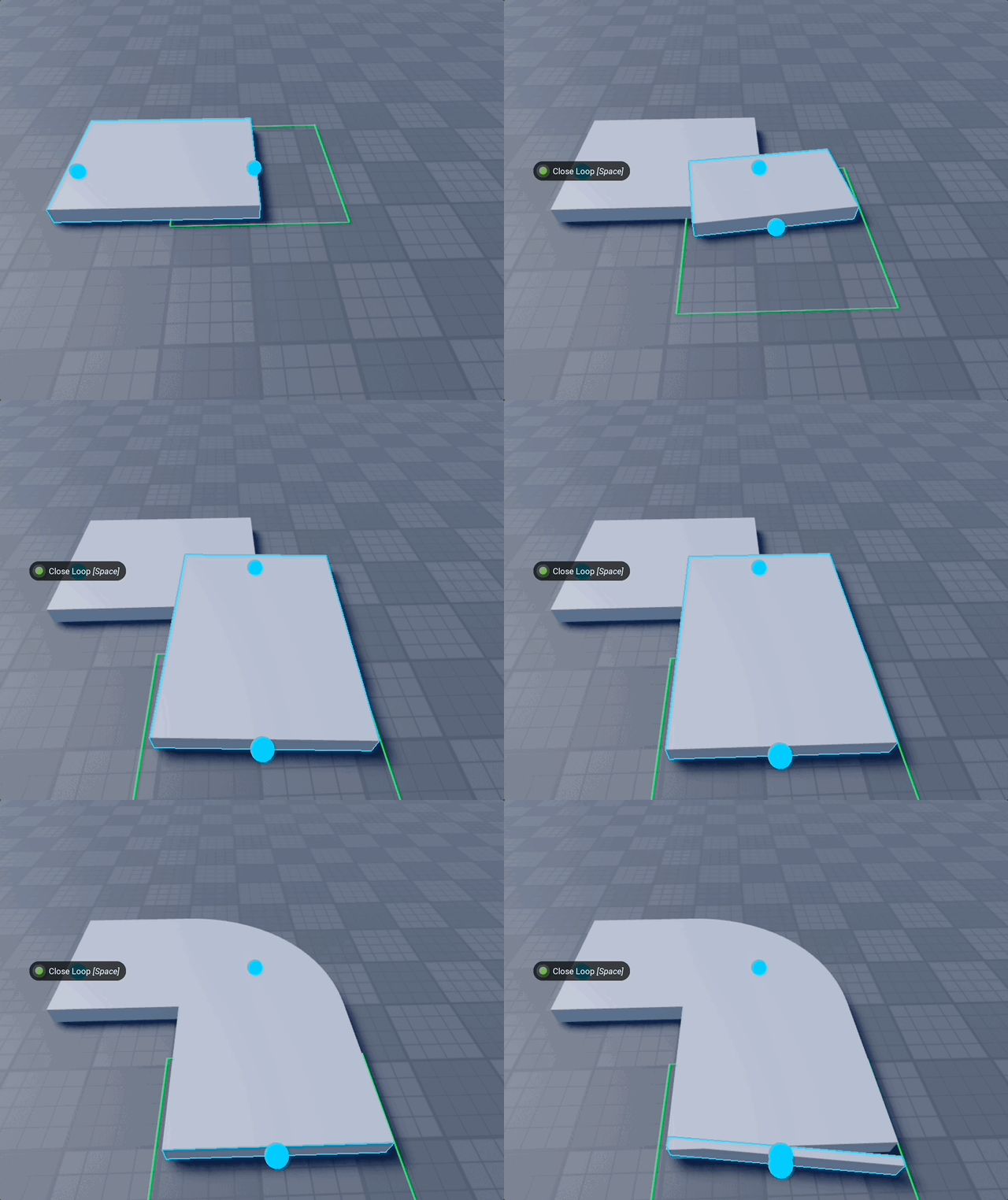
-
Cylinder: Uses a cylinder to add a round corner. Less accurate in some conditions, but corners are smoother.
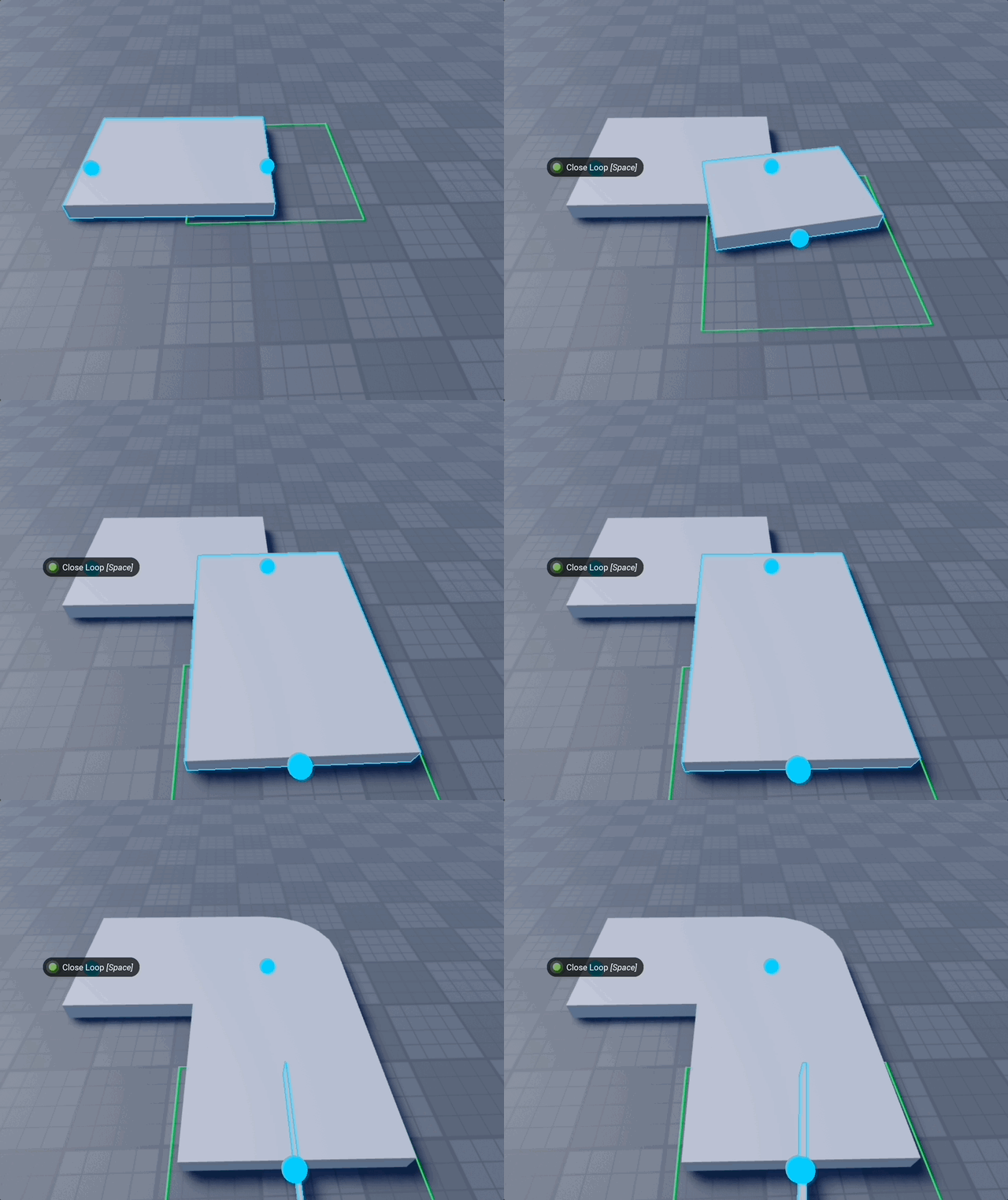
Corner Mode Bevel
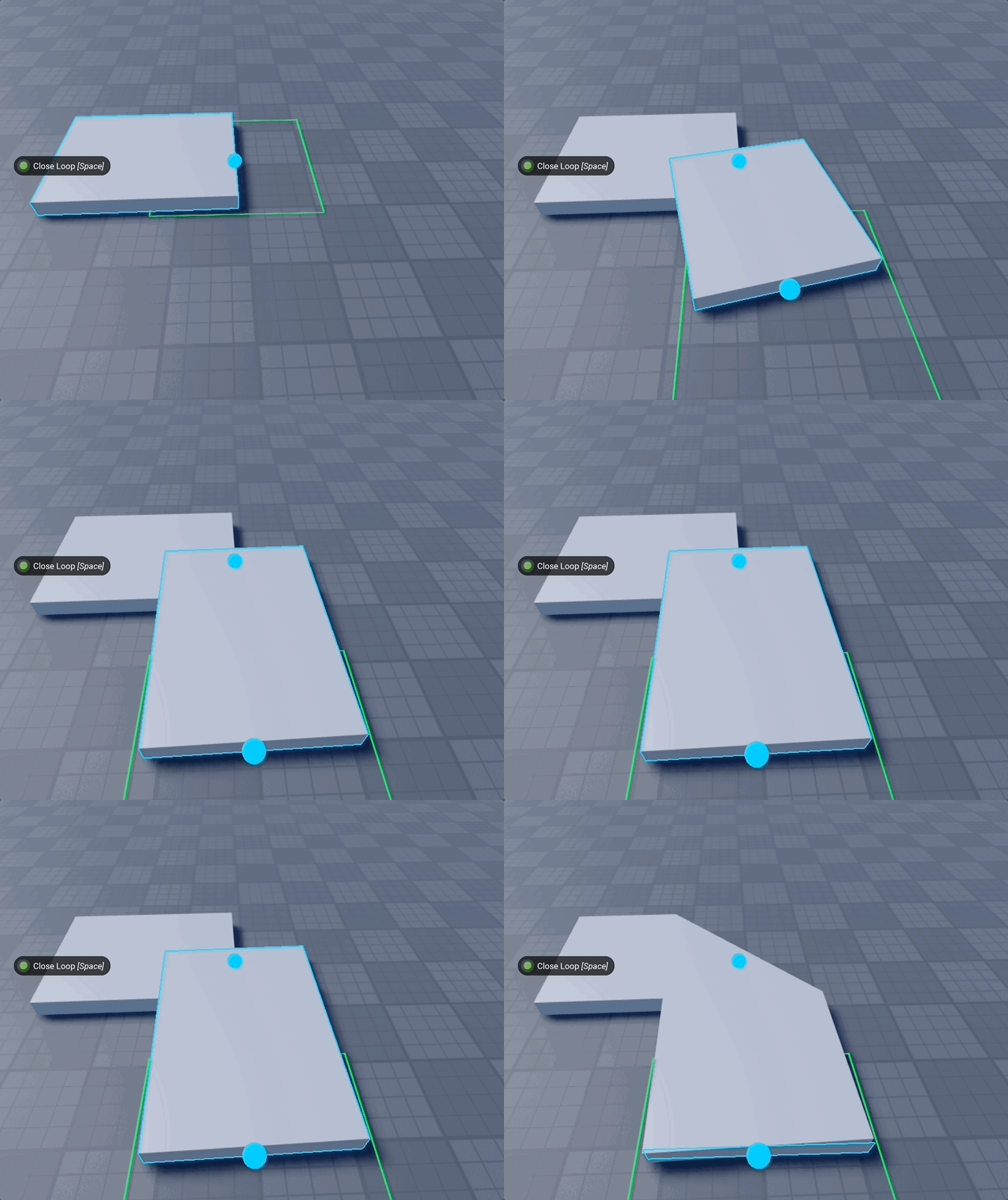
Corner Mode Fill: Extends parts so the farthest corners connect
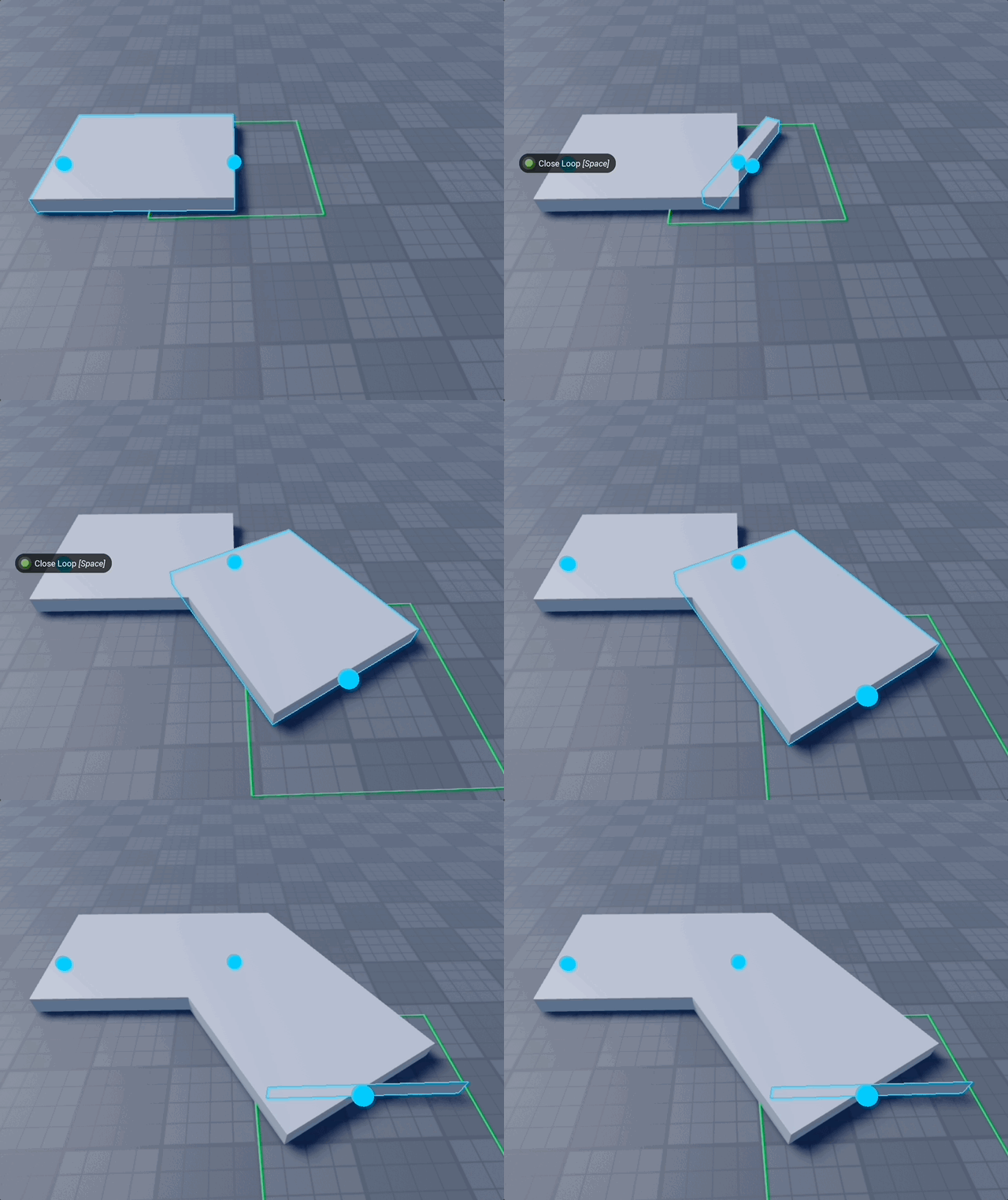
Corner Mode Touch: Shrinks parts so the closest corners are touching.
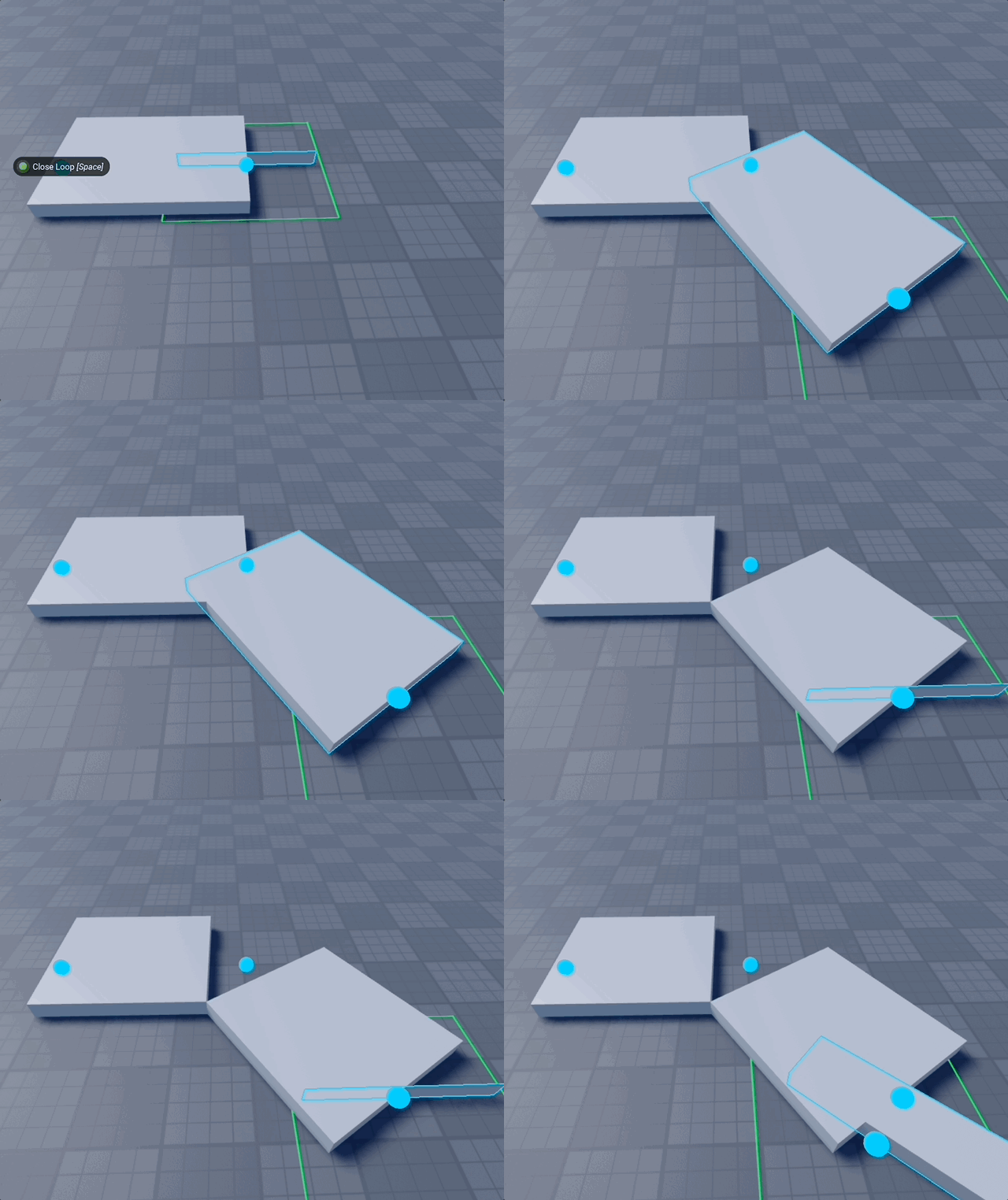
Corner Mode None: Centers are touching
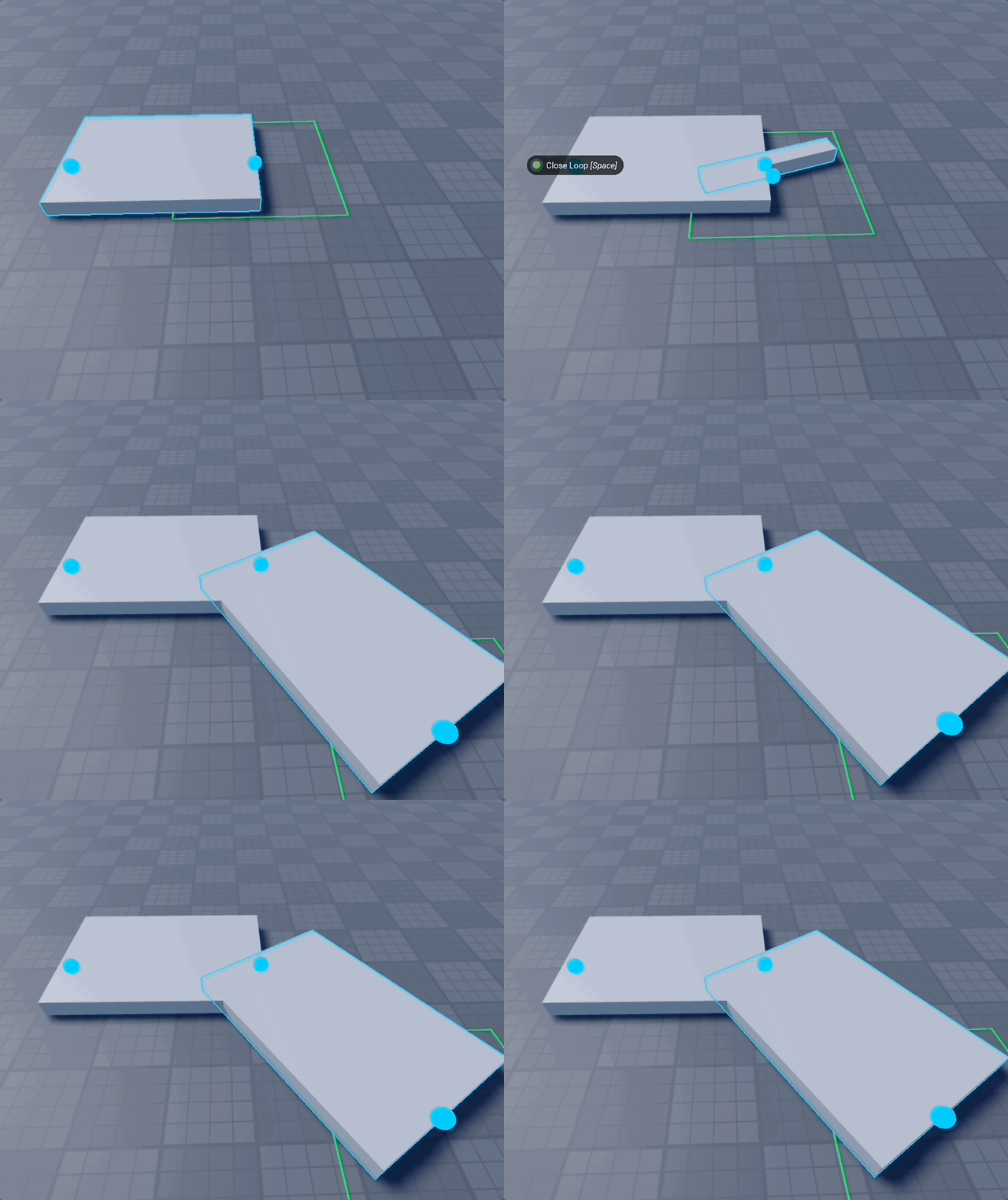
Corner Mode Demo
Tips 💡
- Use "Alternating Offset" from Finalization Settings to avoid texture Z‑fighting if not unioning the final result.
Related 🔗
- See Common Settings for shared options across builders
- Use Model Placer for final alignment and batch tweaks